How to Trace an Email Location in Gmail - Step-by-Step (2026)
Learn how to trace an email location in Gmail using email headers and free OSINT tools with this step-by-step cybersecurity guide.
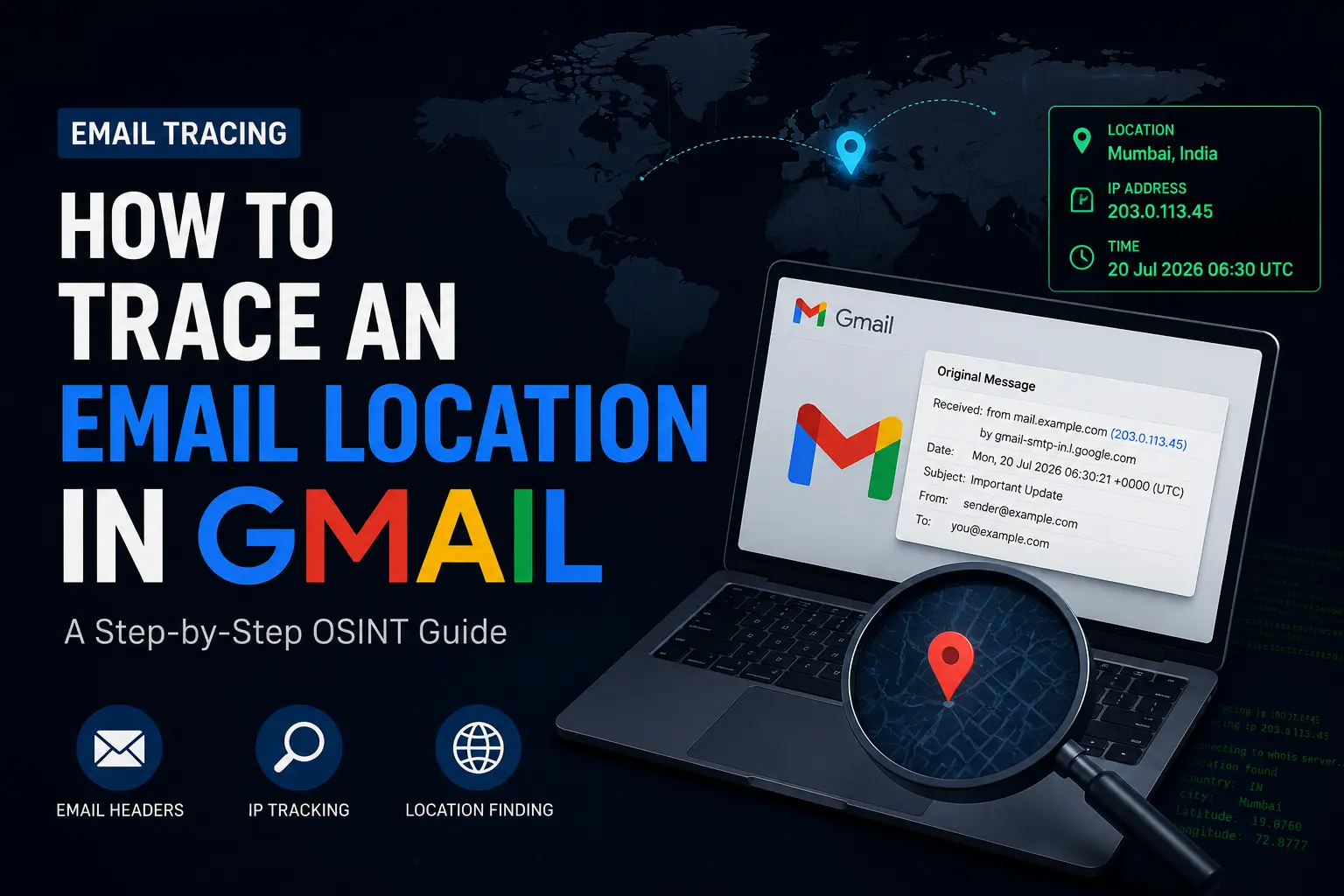
Have you ever received a suspicious message and wondered how to trace an email back to its source? 🕵️
Whether you are dealing with spam, potential phishing, or just curious about cybersecurity, this quick tutorial will show you exactly how to trace the approximate location of an email sender using Gmail and a free online tool.
📩 How to Trace an Email from Gmail (Step-by-Step)
To trace an email location, we need to find the sender’s IP address hidden inside the email’s “header” data. Here is how to trace a Gmail email easily:
1. Open Gmail
Log in to your Gmail account on a desktop browser and locate the email you want to trace.
2. Open the Email
Click on the email to open it in full view.
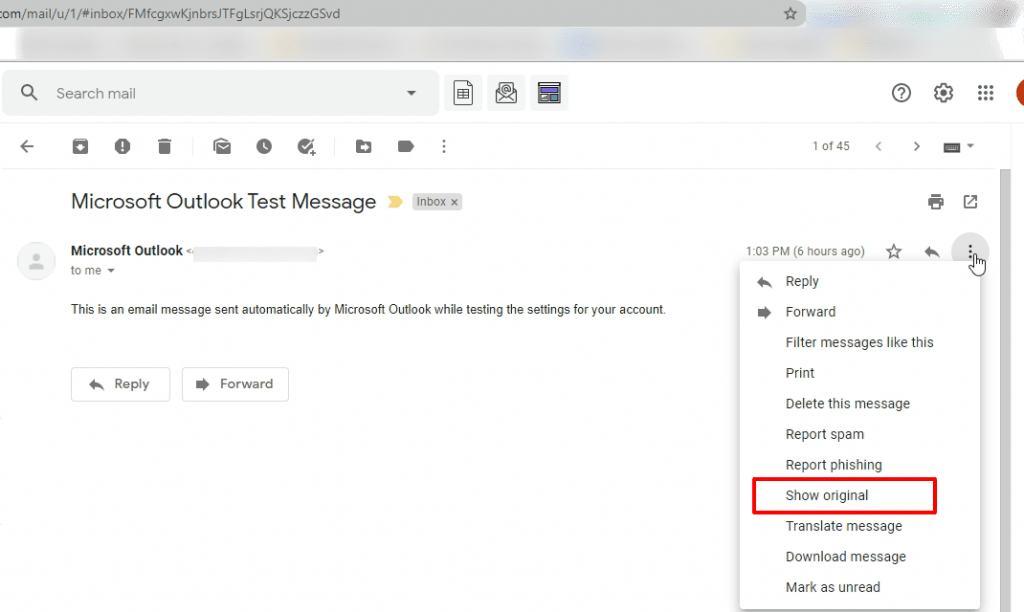
3. Click the 3 Dots (⋮)
On the top-right corner of the email itself (next to the ‘Reply’ button), click the three-dot menu icon.
4. Click “Show Original”
From the dropdown menu, select “Show original”. This reveals the raw data of the email.
📺 Watch This Tutorial (YouTube)
Prefer a visual guide? Watch this video walkthrough to see how to trace an email in Gmail in real-time:
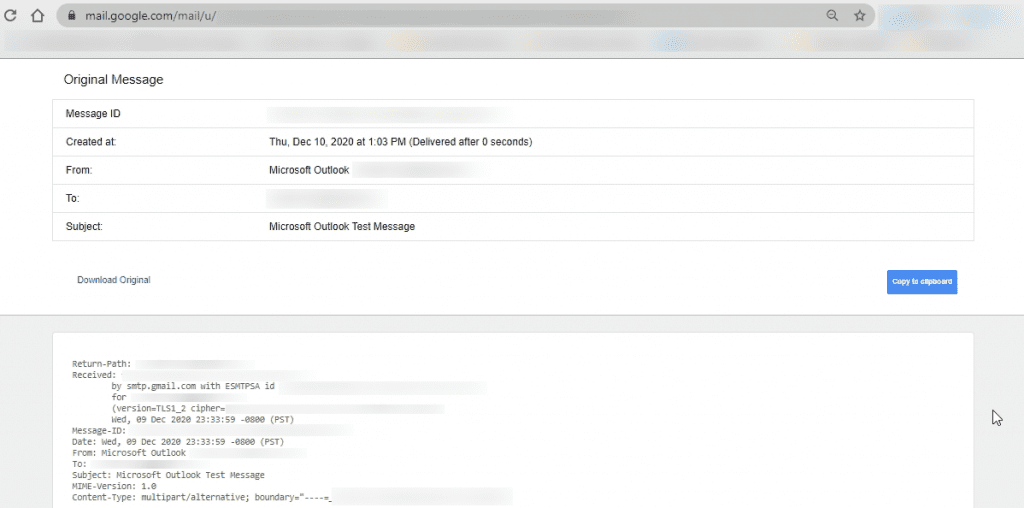
5. Copy the Email Header
In the “Show original” tab, click the “Copy to clipboard” button to copy the full header content.
6. Use an Email Tracer Tool
Now, go to a free email tracing tool like this one:
🔗 IP2Location Free Email Tracer
Paste the header text you copied into the search box and click Submit.
7. Find the Coordinates
Once the tool analyzes the email, it will extract the sender’s IP address details and provide the approximate coordinates (latitude and longitude) of the server that sent it.
8. Search on Google Maps
Copy those exact coordinates and paste them into Google Maps to view the sender’s approximate location visually.
🛑 Important Note on Tracing Emails:
- Privacy Protections: This method works perfectly only if the sender’s original IP is visible in the header.
- Hidden IPs: Most modern webmail services (like Gmail to Gmail, or Outlook) hide the sender’s personal device IP for privacy reasons, showing Google’s server IP instead.
- Use Cases: Despite these limits, tracing email headers remains a highly useful OSINT (Open-Source Intelligence) technique for cybersecurity education and investigating corporate or server-based emails.
❓ Frequently Asked Questions (FAQs)
How to trace an email address if they use Gmail?
If the sender used the Gmail web interface, Google hides their personal IP. You will likely trace the location back to a Google data center. However, if they used a third-party email client (like Thunderbird or a custom SMTP server) connected to Gmail, their real IP might still leak in the headers.
Where is my email account logged in from?
If you are asking this to check your own security, don’t use a header trace. Instead, scroll to the bottom right of your main Gmail inbox, click “Details” under “Last account activity,” and you will see the exact IP addresses and locations where your email account is currently active.
Can I trace an email location exactly to someone’s house?
No. Even if you get the exact sender IP address, an IP trace will only give you the approximate geographic location (city, region, or ISP node), not a precise street address.
✅ Conclusion
Learning how to trace an email address is a fundamental OSINT technique. By analyzing email headers, you can uncover hidden metadata and track down sender origins. It is a great starting point for beginners diving into cybersecurity!
Stay curious, stay safe! 🔐