OpenMausBot: Open-Source Grok Bot Alternative You Can Self-Host
Discover OpenMausBot, an open-source Grok Bot alternative that lets you run Claude, Codex, and Grok AI agents on your own machine. Explore its features, installation, MCP integration, Docker support, and privacy controls.
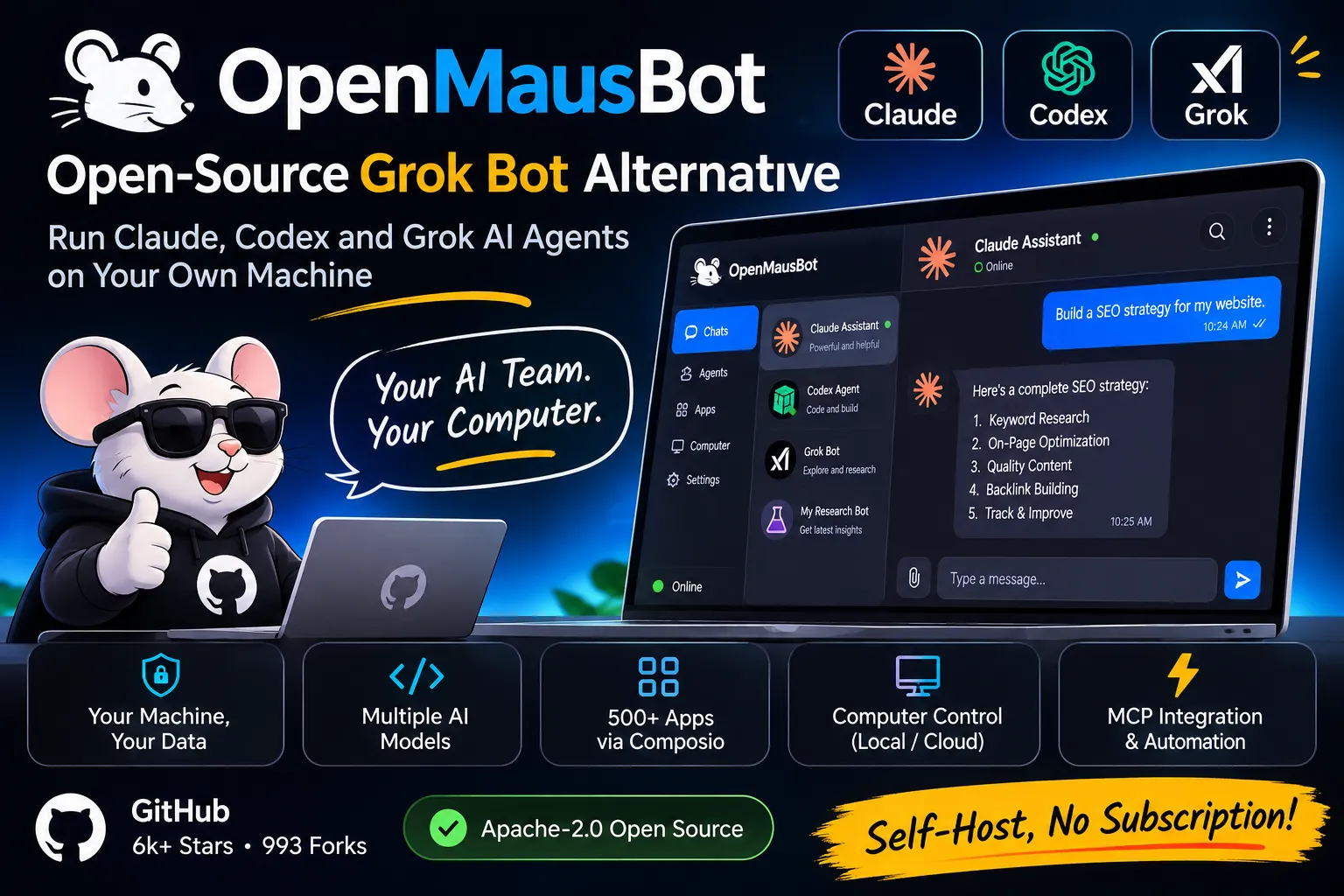
OpenMausBot: the open source Grok Bot alternative you can run on your own machine
Grok Bot launched on August 11, 2026, and every bot you create on it shares one cloud computer owned by xAI. OpenMausBot is an Apache-2.0 project on GitHub (6k stars, 993 forks) that copies the good part of that idea, a chat app full of AI bots, and moves it onto your own laptop. Each bot runs on the Claude, Codex, or Grok CLI you already have installed.
No new subscription. No proxy between you and the model. Here’s how it works, what it costs, and where it still breaks.
What is OpenMausBot?
OpenMausBot is a Telegram-style desktop chat app where every contact is a real AI agent. Each bot has its own personality, model, connected apps, and optional computer. You message them like people, watch them work, and approve the risky stuff.
The code lives at github.com/milind-soni/OpenMausBot. It was called OpenGrokBot before, and it’s also known as MausBot. The README says it’s independent and not affiliated with xAI, Meta, OpenAI, or Manus.
It’s built in TypeScript with React, Vite, Tailwind, and Electron. The repo has 7,304 commits, which tells you how fast it moves. (It also tells you the README is a moving target, so check it before you copy any command below.)
What is Grok Bot, and why look for an alternative?
Grok Bot is xAI’s beta product for always-on AI teammates. According to xAI’s launch post, bots work in the cloud, sign in across apps and websites, and keep going when you step away, even on platforms with no clean API.
Access started on the expensive tiers and spread fast. One tracker says it reached base SuperGrok within 15 days and opened to enterprises on September 3. A hands-on review lists SuperGrok at $30 a month and SuperGrok Plus at $100.
The catch sits in the docs. Vellum’s breakdown reports that all bots on an account share one user-scoped computer, so they aren’t separate security boundaries. It also says you can’t self-host it.
If you hand one bot your client A credentials and another bot your client B credentials, both bots can reach both. That’s the gap OpenMausBot goes after.
How does OpenMausBot compare to Grok Bot?
OpenMausBot keeps the roster-of-bots shape and changes who owns the machine, the model, and the data. Here’s the comparison from the project’s own README:
| Grok Bot | OpenMausBot | |
|---|---|---|
| Who runs it | xAI’s cloud | Your computer |
| Models | Grok only (per the README) | Claude, Codex, and Grok CLIs, one per bot |
| Cost to start | SuperGrok or Cursor plan | Free app, you use your existing logins |
| Computer | One shared cloud computer | Cloud Linux desktop, isolated Local VM, or your own machine |
| Data | xAI-managed | ~/.openmausbot on your disk |
| Approvals | Bot asks when needed | Allow/Deny cards for shell commands and file edits |
| License | Closed | Apache-2.0 (the enterprise/ folder uses its own license) |
One honest note on that table: the README wrote the Grok Bot column, so treat it as the project’s view. The shared-computer detail does match xAI’s own documentation as quoted by several reviewers.
How does OpenMausBot work under the hood?
Two processes do all the work. The app is a React UI on port 5199. The harness server runs on 127.0.0.1:8799 and owns every agent process.
The app sends typed commands over HTTP and folds one SSE event stream into state. It holds no transports of its own. The server takes each provider’s native protocol and turns it into one canonical event stream, logged per thread as NDJSON.
The server has 3 jobs worth knowing:
- Drivers talk to each agent CLI (
claude,codex,grok) through stream-JSON, JSON-RPC, or ACP. An unknown driver shows up as “unavailable” and never crashes the rest. - The event bus fans events out to every client.
- The permission broker turns every risky action into a decision you make.
Adding a provider takes one file in server/drivers/ plus a one-line registration. Custom engines plug in through config if they speak ACP or expose an OpenAI-compatible endpoint.
What can the bots actually do?
Each bot can chat, run tools, use a computer, call connected apps, and run on a schedule. The README lists these features:
Pick a brain per bot. A model picker with a provider rail puts Claude and Codex models side by side. You can switch a bot’s model mid-conversation.
Give it a computer. Bots can use a cloud Linux desktop, an isolated Local VM, or your own machine. Host control works on macOS and Ubuntu Xorg after you opt in. Ubuntu Wayland host control stays disabled while issue #345 is open.
Connect apps. A one-click marketplace on Composio Sessions gives bots 500+ apps, including Gmail, Slack, GitHub, Notion, and Linear. You do OAuth once.
Run triggers. A bot can set up schedules and webhooks in the same turn you ask. Schedules run once, on chosen weekdays, or every 5 to 1,440 minutes. App events from Gmail arrive on a 15-minute check, while push apps like Slack and GitHub arrive at once.
Talk back. Bots can read replies aloud with ElevenLabs, Fish Audio, Grok (xAI), Mac voices, or a local Chatterbox server.
Install a team from Markdown. You can import a full team of bots, channels, and playbooks from one .md file. Connections stay off and routines arrive paused until you approve them.
How do you install OpenMausBot?
You have 3 paths: a desktop installer, an npm package, or a source build. The desktop builds embed the harness server, so there’s no extra setup.
Released builds cover macOS (Apple silicon and Intel, signed and notarized), Windows x64, and Ubuntu 24.04 x64 (a beta .deb or AppImage). The Windows installer isn’t code-signed yet, so SmartScreen shows an unknown publisher warning. Click More info, then Run anyway.
For the terminal path, you need Node 24 or newer:
1
2
npm install -g openmausbot
openmausbot
Or skip the global install with npx openmausbot. First launch walks you through choosing AI access, signing in or pasting a hidden API key, picking a model, and optionally pairing a phone.
To build from source:
1
2
3
4
5
6
git clone https://github.com/milind-soni/OpenMausBot && cd OpenMausBot
pnpm install

pnpm dev:server    # harness server on 127.0.0.1:8799
pnpm dev           # app on http://127.0.0.1:5199
pnpm dev:desktop   # Electron shell
You also need at least one agent CLI installed and logged in: claude, codex, or grok. They show up in the model picker automatically.
Can you run OpenMausBot on a server or in CI?
Yes. The openmausbot command drives a running workspace without a screen, and it returns one JSON document with --json plus exit codes a script can branch on.
1
2
openmausbot team apply team.yaml
openmausbot run "Room Lead" "Rehearse the launch of https://example.com" --export ./out
For an always-on box like a VPS, use npx openmausbot serve with an explicit remote option: --tunnel after npx openmausbot login, --tailscale for your tailnet, or the Docker stack for your own domain. Devices pair once with a short code.
There’s also a stdio MCP server for Claude Desktop and Cursor. It lets those clients inspect bots, send work, switch models, and interrupt turns. It deliberately leaves out approval grants, deletion, credentials, and computer lifecycle.
Webhooks land on a separate receiver at 127.0.0.1:8800 that only exposes /health and secret /hooks/... endpoints. OpenMausBot has to be running to accept a delivery.
What are OpenMausBot’s limits?
The README calls the project “early but real,” and the rough edges are real too. Here’s what to expect before you rely on it.
- Hosted and mobile connectivity is still being built. Webhook triggers use a local receiver, not an always-on hosted relay.
- Calls are macOS-only for now, because they use the same on-device dictation as the composer mic.
- API keys sit in plaintext in a private
config.json(0600permissions on Unix). The CLI setup guide says so directly. - Boat cloud computers cost money after the trial. Composio and Boat are third-party services with their own terms.
- The repo is busy: 331 open issues and 166 open pull requests at the time of writing.
One more line from the README matters for search results. OpenMausBot has no token, and any crypto coin using the OpenMausBot, Maus, or SupaMaus name is unrelated to the project.
Who should use OpenMausBot?
Developers who already pay for Claude, Codex, or Grok and want one chat app that runs all of them side by side. Agencies and freelancers who need separate bots per client without trusting a shared machine. Anyone who’d rather keep transcripts and keys in a folder they control.
Skip it if you want a hosted, zero-setup product that works from your phone today. Grok Bot and its closed rivals fit that better right now. If you’re comfortable with a terminal and Node 24, OpenMausBot gives you the same shape for the price of the CLIs you already run.
Key facts at a glance
- Repo: github.com/milind-soni/OpenMausBot, Apache-2.0 (the
enterprise/folder is source-available under its own license) - Popularity: 6k stars, 993 forks, 7,304 commits
- Former name: OpenGrokBot, also known as MausBot
- Agents:
claude,codex, andgrokCLIs, one model per bot - Platforms: macOS (Apple silicon and Intel), Windows x64, Ubuntu 24.04 x64 (beta)
- Requirements: Node 24+, pnpm, and at least one agent CLI for source builds
- Ports: app on 5199, harness server on 127.0.0.1:8799, webhook receiver on 127.0.0.1:8800
- Connected apps: 500+ through Composio
- Computers: Boat cloud Linux desktop, isolated Local VM, or your own machine with opt-in
- Data location:
~/.openmausbot - Grok Bot comparison: launched August 11, 2026, $30 a month through SuperGrok, one shared cloud computer per account
- Install:
npm install -g openmausbot - Docs and site: openmausbot.com