Atomic Chat: Run Local LLMs Offline on Your Laptop or Phone (2026 Guide)
Discover Atomic Chat, a free open-source app for running 1,000+ AI models offline. Explore local LLM setup, TurboQuant compression, mobile support, privacy, and OpenAI-compatible API integration.
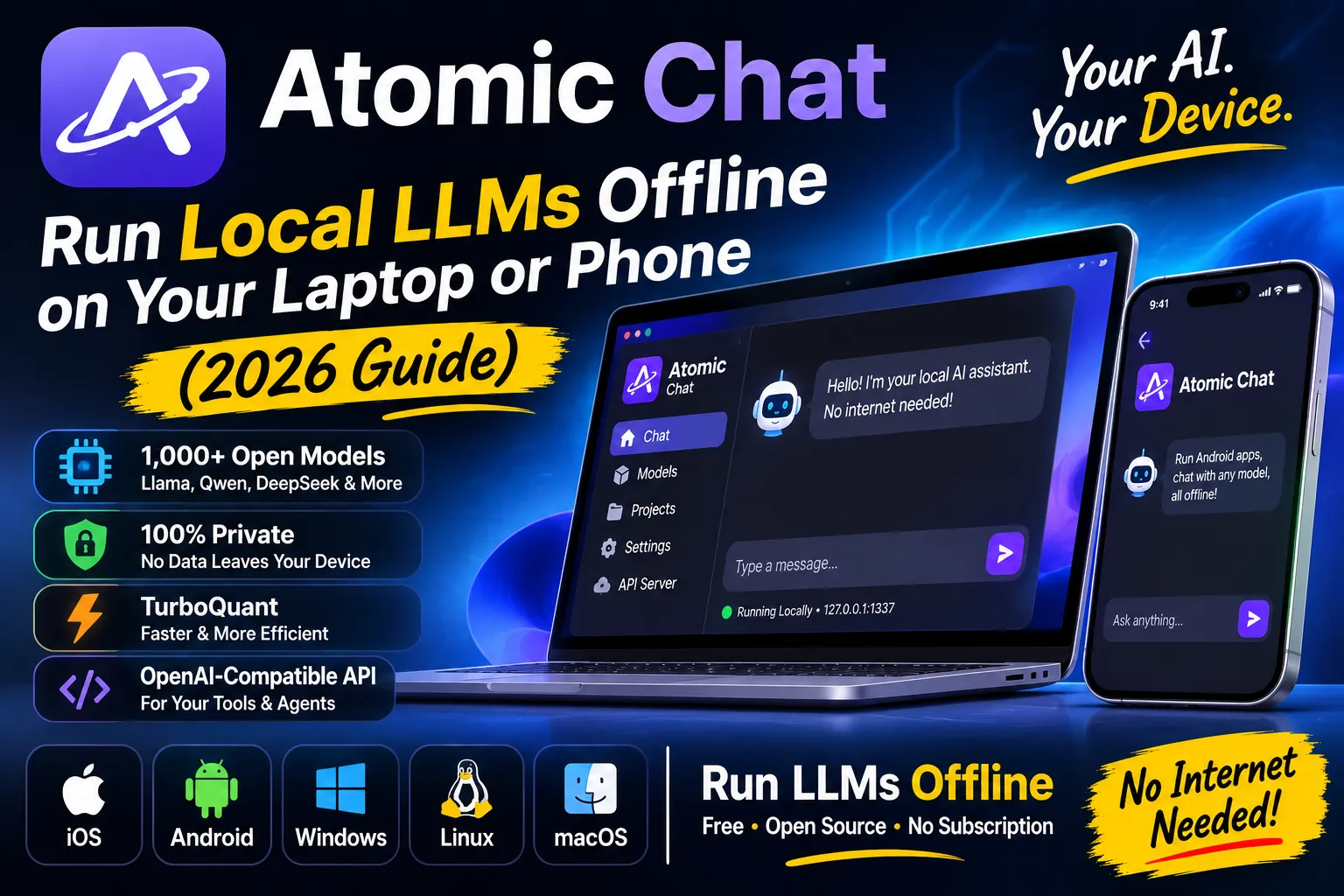
Atomic Chat: run a local LLM offline on your laptop or phone (2026 guide)
Atomic Chat is a free, open-source app that turns your computer or phone into an offline AI chatbot. You download a model once, chat as much as you want, and everything stays on your device. No subscription, no rate limits, no cloud in the loop.
It runs 1,000+ open models (Llama, Qwen, DeepSeek, Gemma and more), gives your other tools an OpenAI-compatible local API, and ships with Google’s TurboQuant compression built in. This guide covers how it works, the hardware you need, and where it beats the cloud. It also covers where it doesn’t, because no tool wins everywhere.
What is Atomic Chat?
Atomic Chat is a local AI app and inference engine that runs open-weight language models on your own hardware. The project is on GitHub with 1.6k+ stars, the website lists it as Apache-2.0 open source, and it installs like any normal app: macOS 13.6 or later (Intel and Apple Silicon), Windows x64 and ARM64, Linux, iOS and Android.
The team is honest about its roots, which I respect. Atomic Chat started as a fork of Jan, the veteran offline chat app with 45.5k stars, and the README credits the Jan team by name for the foundation. It has since grown its own engines, mobile apps and roadmap (Jan).
What you get in one install: a chat interface with projects and persistent memory, a model browser that pulls straight from Hugging Face, and a local API server your other software can talk to.
How does Atomic Chat run a local LLM?
Under the hood, the app bundles a dozen inference engines and exposes them all through one OpenAI-compatible endpoint at localhost:1337/v1. Load a model in the app, point any OpenAI SDK client at that URL, and your tools run on your local model. (Port 1337. Someone on that team had fun.)
The engine list reads like a hardware tour: upstream llama.cpp for GGUF models, an in-house fork with TurboQuant, MLX-VLM for Apple Silicon, Apple’s own Foundation Models, Microsoft’s Foundry Local, Google’s LiteRT-LM, and Qualcomm’s GenieX runtime for Snapdragon NPUs. Each engine shows up only where it can actually run.
The server binds to 127.0.0.1 by default, which means only your machine can reach it. Flip one setting to 0.0.0.0 and your whole home network can use it. That single line of config separates “private AI” from “AI for everyone in the house”.
Which models can you run offline?
Over 1,000 models, browsed and downloaded inside the app from Hugging Face: Llama, Qwen, DeepSeek, Kimi, MiniMax, Gemma, Mistral, Phi and friends. GGUF, MLX and ONNX formats all work.
For scale, Hugging Face hosted 3.19 million public models as of October 2026, and the Hub added over 108,000 new ones in a single 30-day stretch (Hub Stats). Atomic Chat surfaces the useful slice of that pile. Browsing 3 million entries manually would take a while.
Realistic picks by RAM tier, from the project’s own guidance:
- 8 to 16 GB: small Qwen and Gemma models, fully usable
- 16 GB (most popular tier): Qwen3.5 9B, Gemma 4 E4B, DeepSeek-R1 14B
- 16 to 32 GB: 12B to 32B models
A GPU helps, but you don’t need one. Quantized small and mid-size models answer fine on a plain CPU.
What is TurboQuant, and why should you care?
TurboQuant is Google’s KV cache compression method, announced March 25, 2026 and presented at ICLR 2026 (NYU Shanghai RITS). It quantizes the KV cache down to 3 bits with no retraining and no accuracy loss on Google’s benchmarks, cuts KV memory by at least 6x, and speeds up attention by up to 8x on NVIDIA H100 GPUs in 4-bit mode (Google Research).
Here’s why a compression paper matters to you: the KV cache is the memory hog during long conversations. Compress it 6x and your 16 GB laptop fits a bigger model, or a much longer context, or both. Google’s framing is that a GPU serving one long session could serve six.
Atomic Chat ships TurboQuant on all three desktop platforms (turbo3 and turbo4 modes on its llama.cpp fork), with up to ~4.3x smaller KV cache footprints. It also adds MTP speculative decoding, a 30-70% throughput boost that reaches 3x on Gemma 4, plus DFlash decoding at up to 6x faster on Qwen 3.6, Gemma 4 and Kimi K2.5.
Is an offline AI chatbot actually private?
Yes, and privacy is the entire point of running one. Atomic Chat’s pitch is blunt: 0 bytes of your data leave your device, and the app keeps working with your internet off. Cloud chats land on somebody else’s servers by design; local chats land on your disk.
Open source backs the claim. Anyone can read the code, audit it, or build the app from source, and the local API server stays loopback-only unless you change it. Your API keys stay on your machine too.
The honest boundary: the model file itself downloads once, from Hugging Face, and those files weigh in at gigabytes. After that, offline genuinely means offline.
How does Atomic Chat compare with Ollama, Jan and LM Studio?
Pick by workflow. Atomic Chat fits people who want a polished chat app plus an agent endpoint with zero setup. Ollama suits terminal people. Jan is the original desktop app Atomic Chat forked from. LM Studio is desktop-only with a closed codebase, while the other three stay open source.
The one hard differentiator is mobile: Atomic Chat ships real iOS and Android apps, and the other three don’t. If “private AI chat in my pocket” sounds appealing, the shortlist is exactly one app long.
Atomic Chat also mixes local and cloud models in one window. You can bring your own OpenAI, Anthropic, Mistral, Groq, MiniMax, Qwen or Moonshot key, switch per conversation, and keep sensitive prompts local while sending the harmless ones uphill.
Can Atomic Chat power AI agents like Claude Code?
Yes, and this is where a local LLM stops being a toy. Anything that speaks the OpenAI API can run on your models: Claude Code, Codex CLI, Cline, OpenCode, Goose, OpenHands, Copilot CLI, Kilo Code and Zed all work, several with one-click launch from the Integrations tab.
The wiring is one line of config. Point the tool’s base URL at your machine:
1
2
3
4
from openai import OpenAI

# Atomic Chat speaks the OpenAI API. Only the base_url changes.
client = OpenAI(base_url="http://localhost:1337/v1", api_key="not-needed")
MCP servers connect too, so a local model can read files, search and drive apps like Notion, GitHub and Google Drive. Your agent runs on your hardware, with your data, and your internet goes unused.
What does Atomic Chat cost?
$0. No account, no tier, no “free plan” asterisk. Compare that with the cloud: ChatGPT Plus runs $20 a month, the lighter Go plan runs $8, and per-token API bills scale with your usage (OpenAI pricing).
Local compute costs electricity, roughly a lightbulb’s worth for heavy use by the project’s own estimate. The real currency is RAM: the models are free, but your laptop’s memory decides which ones fit.
The trade-off is quality. Frontier reasoning still lives behind paid APIs, and a 9B model running on your lap won’t match the biggest cloud models on the hardest problems. Local AI is a privacy and cost play first.
What are the real limitations?
Every local AI has edges, and pretending otherwise would be a disservice:
- Small models are weaker. A 16 GB machine lives in 9B to 14B territory, which handles daily chat, coding help and summaries well, but trails frontier models on hard reasoning.
- Phones are tight. The mobile apps exist and work, but a phone runs the smaller end of the catalog.
- The first download needs internet. Model files run from hundreds of megabytes to several gigabytes.
- It’s a young project. 1.6k stars against Jan’s 45.5k means fast movement and the occasional rough edge.
- Benchmark claims are benchmark claims. TurboQuant’s “zero accuracy loss” comes from Google’s tests; third parties note the results are hardware-specific and not independently reproduced. Your tasks may vary.
Verdict: should you download Atomic Chat?
Yes, if any of these sound like you: you pay for a cloud subscription anyway, your prompts touch private material, or you want agents and coding tools running on your own hardware with no meter running.
Skip it for now if you need frontier-grade reasoning and privacy means nothing to you. The cloud still wins that fight on raw quality, and honesty beats a sales pitch.
My take after digging through the repo and docs: local AI just passed the “normal person can install it” test. Two-minute setup, a model picker, and a localhost API that makes every OpenAI-shaped tool work instantly. The gap between cloud and local hasn’t closed, but the price of the gap is now $0 and a gigabyte of disk.
FAQ
Is Atomic Chat free?
Yes. It’s open source, needs no account, and costs nothing to run. Cloud models inside it still bill against your own API keys, but the local path costs $0.
Does Atomic Chat work completely offline?
Yes, after the one-time model download. Chat, agents and the local API all run without internet.
Can Claude Code use Atomic Chat?
Yes. It speaks the OpenAI API, so point Claude Code’s base URL at http://localhost:1337/v1 and it runs on your local models.
Does Atomic Chat run on iPhone and Android?
Both, plus macOS, Windows (x64 and ARM64) and Linux. It’s the only app in its category with mobile apps at all.
Sources: Atomic Chat website · Atomic Chat GitHub repository · Atomic Chat self-hosted LLM guide · Google Research on TurboQuant · NYU Shanghai RITS on TurboQuant · Hugging Face Hub Stats · Jan on GitHub · OpenAI pricing