Husk iOS: Run Android Apps and Games on iPhone (2026 Guide)
Discover Husk iOS, the free open-source Android emulator for iPhone. Learn how to download the Husk IPA, install APKs, run Android games, enable JIT, and use Husk 3.4.
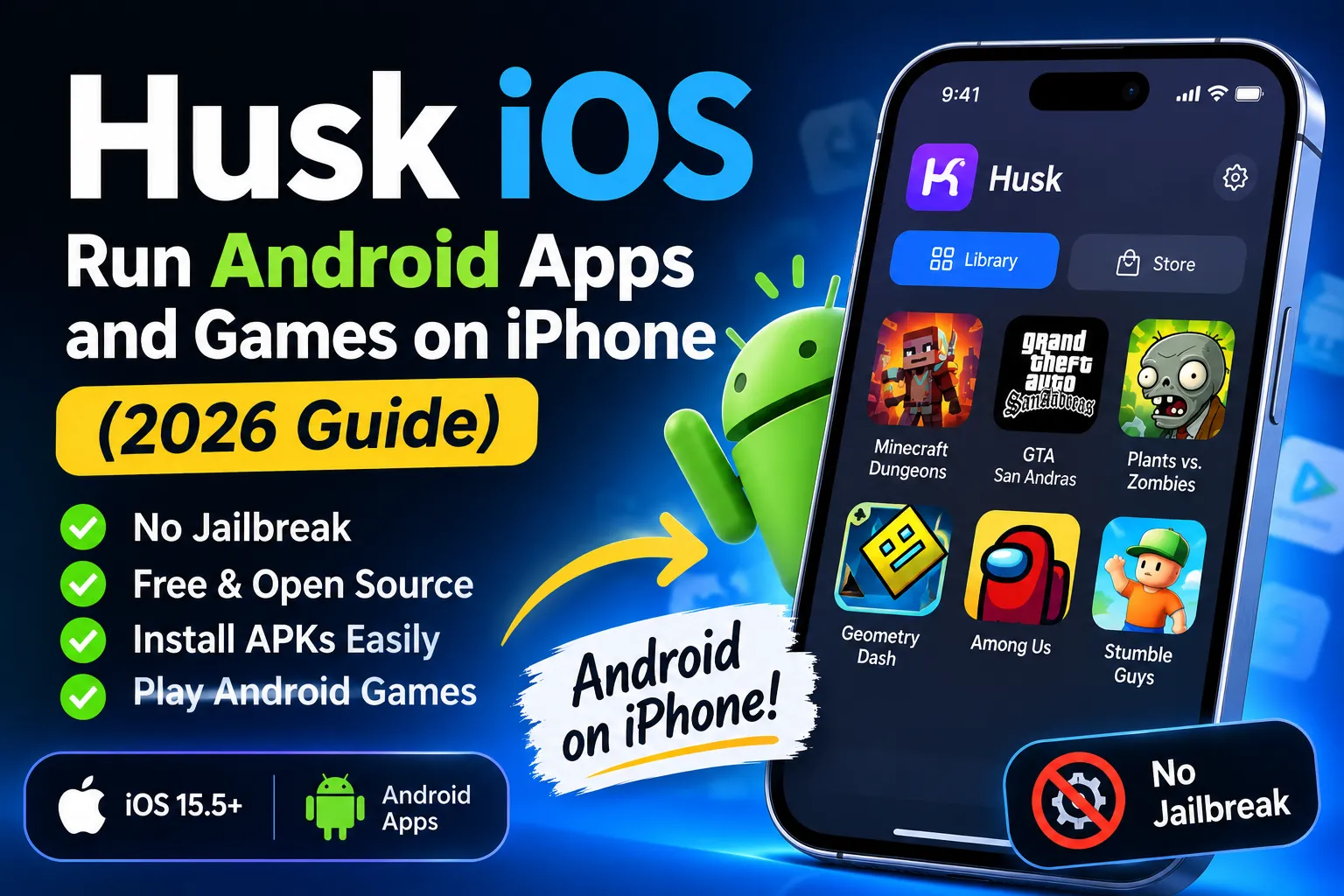
Husk iOS: run Android apps and games on your iPhone (2026 guide)
Husk is a free, open-source app that runs Android apps and games on your iPhone. You add an APK, tap it, and it opens full-screen. No jailbreak, no App Store listing, no second phone.
The project lives on GitHub, where it has collected 3.1k stars, 223 forks and 27 releases. The current version, Husk 3.4 (November 2026), runs about 97% of the Android apps its developers test.
Why does this even exist? Android powers 72.36% of the world’s mobile devices and iOS runs 27.61%, and plenty of apps never cross that divide (StatCounter). Husk bridges the gap from the iOS side, and this guide covers how it works, how to download the Husk IPA safely, and what actually runs.
What is Husk iOS?
Husk is a sideloaded iPhone app that runs Android APKs, either through fast native execution or through emulation. Developer Leviidev built it as open source under GPL-2.0, with 674 commits and 10 contributors behind it.
The clever part is what doesn’t happen. Most apps skip emulation entirely: the app’s own 64-bit ARM code runs directly on your iPhone’s processor, and Husk stands in for Android around it. The C library, the Java framework calls, graphics, audio and input all get handled by Husk’s code.
When that fast path fails, Husk boots a complete Android system (LineageOS) under QEMU and runs the app inside it. As a bonus, Husk also opens PS4 fake packages and game folders on iOS 17.4 and later.
How does the Husk Android emulator work?
Husk gives you two runtimes, and your library shows which one each app uses. The translation layer is the fast one. The emulation mode is the slow one that catches everything else.
What is the translation layer?
When you tap an APK, its real ARM64 machine code executes on Apple silicon. Husk fills in everything the app expects from Android: bionic’s C library, Java calls, OpenGL ES through ANGLE, Vulkan through MoltenVK, sound and touch.
No guest operating system boots. No kernel, no zygote, no system_server. That’s why a game starts in seconds.
The approach borrows from Android Translation Layer (ATL), a Linux project that proved an Android app can run with just its DEX files, its native libraries and a reimplementation of the framework. Husk’s translation layer docs describe the same cut: keep the app, replace the OS.
When does Husk switch to full emulation?
Some apps lean on parts of Android that the translation layer doesn’t implement yet. For those, Husk boots a full LineageOS guest inside QEMU, the open-source machine emulator.
Here’s the catch: Apple doesn’t give third-party apps access to Hypervisor.framework, so QEMU has to emulate the CPU in software. Husk’s own architecture docs call the result “a large constant-factor slowdown against native”. Slow, but it keeps the stubborn apps alive while the fast path catches up.
Can you get Husk from the App Store?
No, and the blocker is licensing rather than Apple’s emulator rules. Husk links QEMU, which is GPLv2, and Apple’s store terms don’t mix with GPLv2. The developer states it plainly in the README: the shipped binary is a combined GPLv2 work, so it can’t go on the App Store.
Apple did relax its emulator policy on April 5, 2024. Guideline 4.7 now lets retro game console emulator apps offer downloadable games, which is why console emulators finally appeared on the store (Apple Developer News). A general-purpose Android runtime that installs arbitrary APKs sits outside that category anyway.
So you sideload Husk. It’s the same path used by AltStore, SideStore and every iOS emulator that can’t or won’t meet App Store terms.
How do you download the Husk IPA and install it?
Two routes: add the official source inside SideStore or AltStore (easiest, updates included), or download Husk.ipa straight from GitHub Releases and open it in your sideloader. You need iOS 15.5 or later.
Install through SideStore or AltStore
- Install SideStore or AltStore, and sign in with your Apple ID.
- Open Sources, tap +, and paste
https://itslevii.dev/repo.json. - Install Husk from the source, then trust the developer profile when iOS asks.
- Refresh Husk before the 7-day signing window closes, like any sideloaded app.
The official install guide walks through the same steps, and the repo.json source also lists Leviidev’s other apps (AetherPS4, Utsuro, Podium, Fathom).
Why does the app expire after 7 days?
Apple’s free Personal Team signing allows 3 active sideloaded apps per device, signs each one for 7 days, and registers 10 App IDs per week (cert.fish). Those limits come from Apple, and no sideloading tool lifts them. A paid Apple Developer account ($99 a year) signs apps for a full year and drops the 3-app cap.
Is TrollStore a better option?
If your iPhone runs iOS 14.0 through 16.6.1, the 16.7 RC, or 17.0, yes. TrollStore permasigns apps through a CoreTrust bug, so Husk never expires and never needs a weekly refresh (TrollStore wiki). TrollStore also grants Husk JIT directly. The catch is hard version support: 17.0.1 and later will never work unless someone finds another CoreTrust bug.
Which Android apps and games actually run?
Husk 3.4 runs about 97% of the 472 F-Droid apps the team tests, up from 85% in the previous release. Of the 169 Play Store apps tested, roughly 90% run (release notes). One honest footnote: those numbers come from testing on a Mac, so your iPhone’s results can drift a little.
Apps that now open in 3.4:
- Microsoft Word (Excel and PowerPoint share its libraries)
- Slack, Gmail, Teams, Deezer, Flipboard, Picsart
- Apps using React Native’s new architecture, Qt 6/QML, JavaScriptCore, Flutter, Godot 4.7, Cocos Creator, libGDX and .NET
Games confirmed working include GTA: San Andreas, Minecraft Dungeons, Geometry Dash, Beach Buggy Racing 2 and Plants vs. Zombies. Yes, full-screen GTA on an iPhone, with touch controls mapped automatically.
The limits are just as clear. Apps with anti-tamper or fraud protection, which means most banking apps, don’t run, and Husk’s developers don’t try to bypass them. That’s the correct call: a runtime that defeats bank-grade protection would be a malware kit with extra steps.
Importing is flexible too. Husk 3.4 accepts single APKs, split APK bundles (.xapk, .apkm, .apks) and OBB expansion files, and on iPad you can drag files straight onto the import screen.
Does Husk need JIT to run games?
Most games need JIT enabled, yes. Some apps also run through the “Play without JIT” mode after you import the certificate that installed Husk.
The reason is an iOS security rule: an app can never hold writable and executable memory at the same time. To get JIT memory, Husk borrows a debugger. Three options exist, and Settings › JIT & sideload picks the best one automatically:
- StikDebug, a separate sideloaded app
- Husk’s built-in StikJIT helper (iOS 26 or later, needs pairing)
- TrollStore’s enable-jit toggle, for Husk installed through TrollStore
On iOS 27 the pairing can even happen on-device: Husk pretends to be the computer your iPhone pairs with, you enter a code in Settings, and you’re done without touching a Mac.
Is Husk safe and legal?
The code is open source under GPL-2.0, so anyone can read it, audit it and build it from source. Java makes up 67.5% of the repository, C 20.7%, Swift 7.9%. That transparency is your best safety signal, and it’s more than most App Store apps offer.
The real risks sit outside the app itself:
- Fake download sites. Get the IPA from GitHub Releases or the official repo.json source only. Random “Husk download” mirrors can repackage the file with anything inside.
- The APKs you load. Emulators are legal; pirated apps are still pirated apps. Load things you have the right to use.
- Signing. SideStore and AltStore sign with your own Apple ID, so Husk runs with your permissions and nobody else’s. Don’t import certificates from strangers.
On performance: Husk’s device logs show 256 MiB of JIT memory allocated in 749 ms on test hardware, so the setup cost is one coffee sip, and it happens once per session.
Should you install Husk in 2026?
Yes, if you want Android games or Android-only apps on your iPhone. Husk is the closest thing to a real Android runtime on iOS, it costs nothing, and it ships fast: 27 releases, with version 3.4 landing November 5, 2026.
Skip it if you need banking apps or anything that requires Google Play integrity; those specifically don’t work. And on a free Apple ID, accept the 7-day refresh rhythm.
My honest take: a 97% compatibility rate on tested apps, GTA: San Andreas running full-screen and Microsoft Word opening on an iPhone would have sounded like a hoax two years ago. Now it’s a 10-minute sideload away, tracked publicly on GitHub.
FAQ
Can an iPhone run Android apps?
Yes. Husk runs APK files on iOS 15.5 and later, either through its native translation layer (fast) or QEMU emulation (slow but broad).
Is Husk free?
Completely. It’s GPL-2.0 open source, and the IPA is free from GitHub Releases.
Does Husk work on iPad?
Yes. Husk 3.4 added drag-and-drop importing on iPad, plus split APK and OBB support.
Does Husk include the Google Play Store?
Husk has its own Store tab with app pages, descriptions, screenshots and trailers, and you can download apps from it into your library. Google’s store itself isn’t part of the package.
Sources: Husk GitHub repository · Husk releases · Husk install guide · Husk architecture docs · Apple Developer News on guideline 4.7 · StatCounter mobile OS market share · cert.fish on free Apple Account signing limits · TrollStore wiki