Mailflare: A Self-Hosted Google Workspace Alternative
Explore Mailflare, an open-source Google Workspace alternative with custom domain email, calendar, booking, file storage, and AI agents. Compare costs and learn how to deploy it on Cloudflare or Docker.
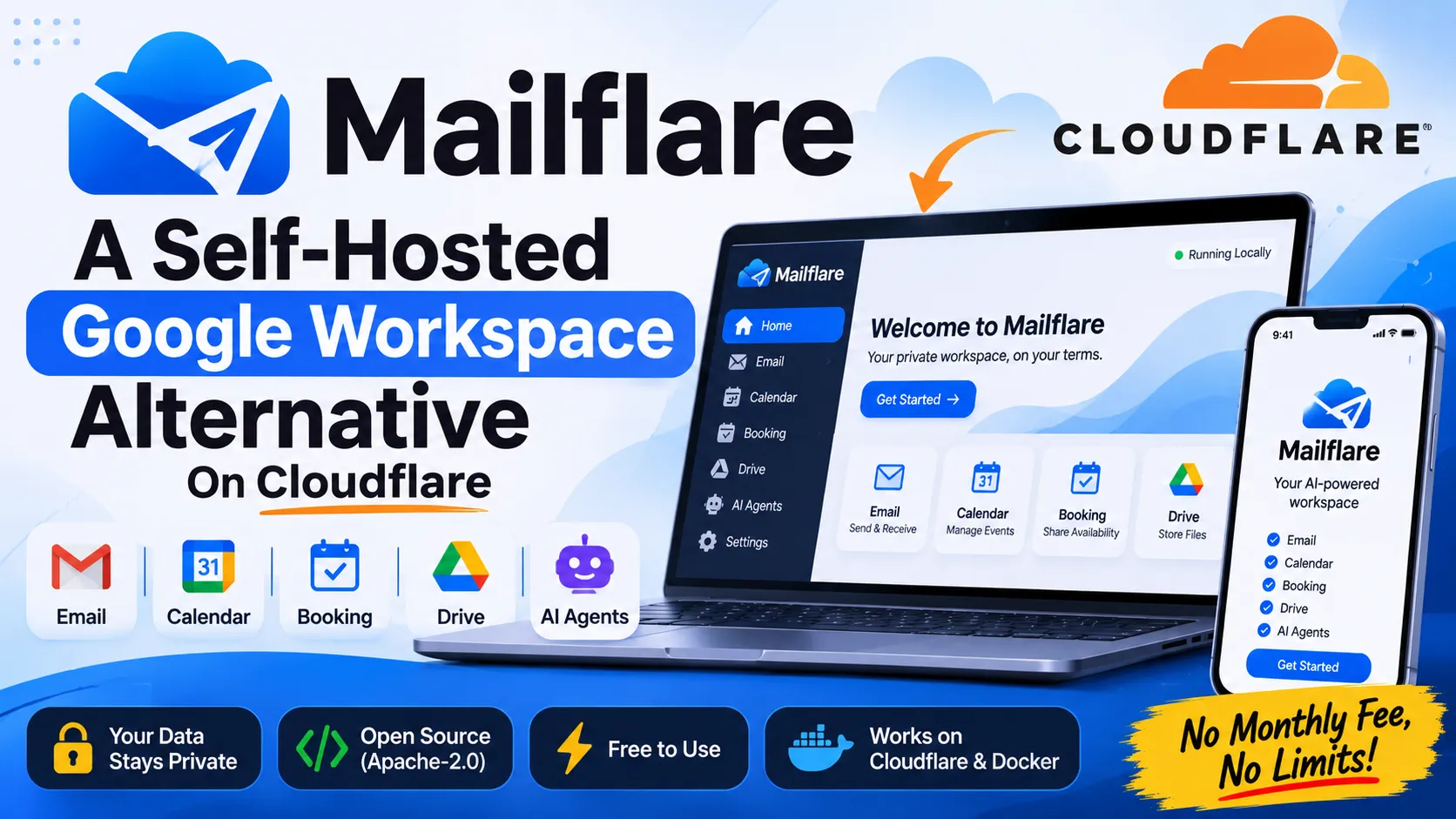
Mailflare: the self-hosted Google Workspace alternative that runs on Cloudflare
Google Workspace charges $7 per user per month on its cheapest plan with an annual commitment. A 10-person team pays $840 a year before it adds a single storage upgrade. Mailflare, an open source project on GitHub, gives you custom domain email, calendar, booking, file storage, and AI agents for the cost of the services underneath it, and receiving mail is free.
The repo has 5.3k stars and 753 forks. It deploys to Cloudflare with one button or runs in a single Docker container.
Here’s what it includes, what it really costs, and where it’ll make you do some work.
What is Mailflare?
Mailflare is a self-hosted alternative to Google Workspace. You connect your own domain, create mailboxes, and run the whole thing on infrastructure you control.
The code lives at github.com/hieunc229/mailflare, with a project site at mailflare.co. The license is AGPL-3.0. The repo has 494 commits, 13 open issues, and 7 open pull requests at the time of writing.
The README describes it as “email for professionals and teams.” Under the hood it’s a Cloudflare Workers app with swappable pieces for sending, databases, and file storage.
What features does Mailflare include?
Mailflare covers 6 areas: email, routing rules, calendar, booking, drive, and AI agents. That’s most of what a small team uses Google Workspace for day to day.
Email and routing rules
You get custom domain mailboxes, personal or shared, with access you control. Mailflare sends and receives through Cloudflare Email, Resend, or Amazon SES.
Routing rules let you store, forward, reject, or sort incoming mail. That’s handy for shared inboxes like support@ or sales@.
Calendar and booking
The calendar handles repeating events with time zones, and attendees get email invitations. Booking adds a public link so anyone can pick a free slot on your calendar.
Drive
Drive stores and shares files. Files live in Cloudflare R2, Backblaze B2, or AWS S3, depending on what you configure.
AI agents
Built-in agents can search your mail, draft replies, and manage events. You can also connect other AI tools over MCP (Model Context Protocol). The repo has a dedicated doc on the email assistant and MCP.
How much does Mailflare cost compared to Google Workspace?
Receiving mail on Mailflare costs nothing, and sending can cost nothing too at small volume. Google Workspace charges per user, every month.
Here’s the Google side. Business Starter costs $7 per user per month on an annual plan, or $8.40 with flexible billing. Business Standard costs $14 annual or $16.80 flexible. One pricing review works out a 25-user team on Standard at $4,200 a year on the annual plan.
And here’s the Mailflare side, from the README:
| Piece | Cost |
|---|---|
| Receiving mail | Free (Cloudflare Email Routing) |
| Sending mail | Free tier on Resend (3,000 emails a month) or Amazon SES |
| Sending through Cloudflare | Needs the $5/month Paid Worker plan |
| Per-user licenses | None |
A few honest caveats. You still pay for your domain. Resend’s free tier caps at 3,000 emails a month, so a busy team will outgrow it. New Amazon SES accounts start in a sandbox until you ask AWS for production access. And your time has a price: you run this yourself.
Prices change, so check the current pages for Resend, Amazon SES, and Cloudflare before you commit.
What can Mailflare run on?
Mailflare is flexible about its stack. Here’s the full list from the README:
| Layer | Options |
|---|---|
| Hosting | Cloudflare Workers or a single Docker container |
| Database | Cloudflare D1 (default), PostgreSQL, MySQL, Turso/libSQL, or local SQLite |
| File storage | Cloudflare R2, Backblaze B2, or AWS S3 |
| Mail sending | Cloudflare Email, Resend, or Amazon SES |
You switch databases by setting DATABASE_URL. The README says it works with hosted options like Supabase, Neon, PlanetScale, and TiDB. The admin panel covers users, API keys, webhooks, audit logs, and backups.
The interface supports 34 languages, including right-to-left ones like Arabic, Urdu, and Persian.
How do you deploy Mailflare on Cloudflare?
Click the Deploy to Cloudflare button in the repo, then finish setup at /setup. The README lays out 3 steps.
- Deploy the app. Keep the app name
mailflare. The README warns that renaming it breaks things. - Finish setup. Open
/setupon your new app and create your admin account. - Connect a domain. Add a domain from the same Cloudflare account, then create your first mailbox.
What does the CF_TOKEN need?
Mailflare requires a CF_TOKEN, which is a scoped Cloudflare API token. The README lists these permissions:
- All accounts: Email Sending:Edit, DNS Settings:Edit, Email Routing Addresses:Edit
- All zones: DNS Settings:Edit, Email Routing Rules:Edit, Zone Settings:Edit, DNS:Edit
Read that list before you create the token. It spans all accounts and all zones in your Cloudflare login, so I’d run Mailflare in a Cloudflare account that holds only the domains you want it to manage.
Can an AI agent deploy it for you?
Yes. The README includes a ready-made prompt for terminal-capable agents like Claude Code, Codex, and Cursor. It tells the agent to read the docs first, ask you for tokens through a secret input, and never print or commit them.
It also tells the agent to leave database migrations to the /setup page. Follow that rule. Migrations on a live mail system are the last thing you want an agent improvising.
How do you self-host Mailflare with Docker?
Docker runs everything as one container on any server, using SQLite and local files. Two commands start it:
1
2
cp .env.docker.example .env.docker
docker compose up -d --build
The self-hosting doc covers the details. Docker mode suits people who want mail on their own VPS, or who don’t want any part of the stack on Cloudflare.
For local development, you need Node and a Cloudflare account:
1
2
3
4
cp .dev.vars.example .dev.vars
npm install
npm run db:migrate:local
npm run dev
Add your Cloudflare credentials to .dev.vars, open localhost:3000, and run npm run db:seed for sample data. A schema change needs a migration for each database type, so read the databases doc before you contribute.
Can you move existing mail into Mailflare?
Yes. Mailflare imports mail from IMAP, Gmail Takeout, .eml files, and .mbox files. That covers most paths off Gmail, Outlook, and older hosts.
Test the import with one mailbox first. Check folders, attachments, and dates before you move a whole team. And keep the old provider running until the new setup has handled real mail for a week or two.
What are Mailflare’s limits?
Mailflare is young and self-hosted, so you carry the responsibility a vendor would otherwise carry. Check these before you move anything important:
- License. AGPL-3.0 has obligations if you modify the code and offer it as a service. Ask a lawyer if that’s your plan. I’m not one.
- Token scope. The
CF_TOKENcovers all accounts and zones, as noted above. - Naming. The Worker must keep the name
mailflare. - Sending limits. Free tiers cap volume, and a new SES account starts in a sandbox.
- Support. You get docs, a troubleshooting guide, and GitHub issues. No 24/7 phone line.
- Maturity. The repo has 13 open issues. Read them to see which rough edges affect your setup.
Email is also a trust system. Mail from a self-hosted setup lands in inboxes only if your sending provider and domain records are in good shape. Mailflare sends through Cloudflare, Resend, or SES, so you inherit their delivery infrastructure, but you still own your domain’s setup.
Who should use Mailflare?
Small teams, freelancers, and agencies who want professional email on their own domain without per-seat bills. Developers who already live in Cloudflare. Anyone who wants calendar, booking, and drive in the same place and doesn’t mind running the stack.
Skip it if you need enterprise compliance tooling, vendor support contracts, or a team that can’t spare an hour for setup. Google Workspace is still the safer pick for those.
Frequently asked questions
Is Mailflare free?
The software is free and open source under AGPL-3.0. Receiving mail through Cloudflare Email Routing is free, and sending has free options like Resend’s 3,000 emails a month. You still pay for your domain and any usage above free tiers.
Can Mailflare replace Google Workspace?
For small teams that mainly need email, calendar, booking, and file storage, it can. It lacks the document editors and the support contracts of Google Workspace, so check your own needs first.
Does Mailflare work outside Cloudflare?
Yes. You can run it in a single Docker container on any server, with Postgres, MySQL, Turso, or SQLite for the database, and S3-compatible storage like AWS S3 or Backblaze B2.
Can Mailflare use AI?
It includes AI agents that search mail, draft replies, and manage events, and it connects to other AI tools over MCP.
Key facts at a glance
- Repo: github.com/hieunc229/mailflare, AGPL-3.0
- Popularity: 5.3k stars, 753 forks, 494 commits
- What it replaces: Google Workspace basics: email, calendar, booking, drive
- Hosting: Cloudflare Workers or one Docker container
- Databases: D1 (default), PostgreSQL, MySQL, Turso/libSQL, SQLite
- Storage: Cloudflare R2, Backblaze B2, AWS S3
- Sending: Cloudflare Email, Resend, Amazon SES
- Cost: receiving is free, Resend’s free tier covers 3,000 emails a month, Cloudflare sending needs the $5/month Paid Worker plan
- Google Workspace comparison: Business Starter is $7 per user per month annual, $8.40 flexible
- Import: IMAP, Gmail Takeout,
.eml,.mbox - AI: built-in agents plus MCP
- Languages: 34
- Required secret:
CF_TOKENwith scoped Cloudflare permissions - Docs: deployment, providers, API